
RSVPing to an event as a guest
1. Open your invite
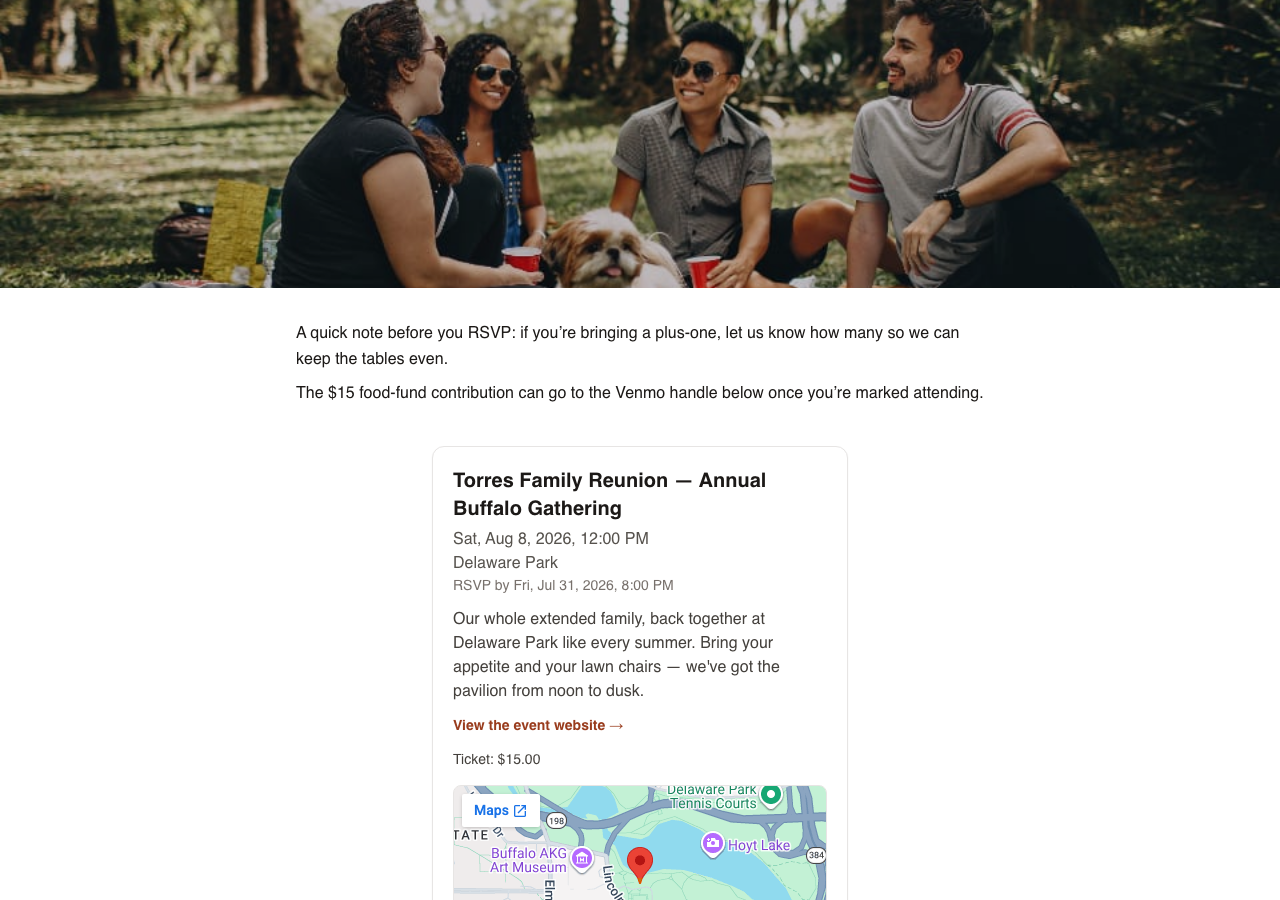
You'll get an email from the host with a link to the event. Click it. No account, password, or app download needed.
2. Read the details
The event page shows the date, time, location, and whatever else the host has written: dress code, what to bring, directions.
3. Respond
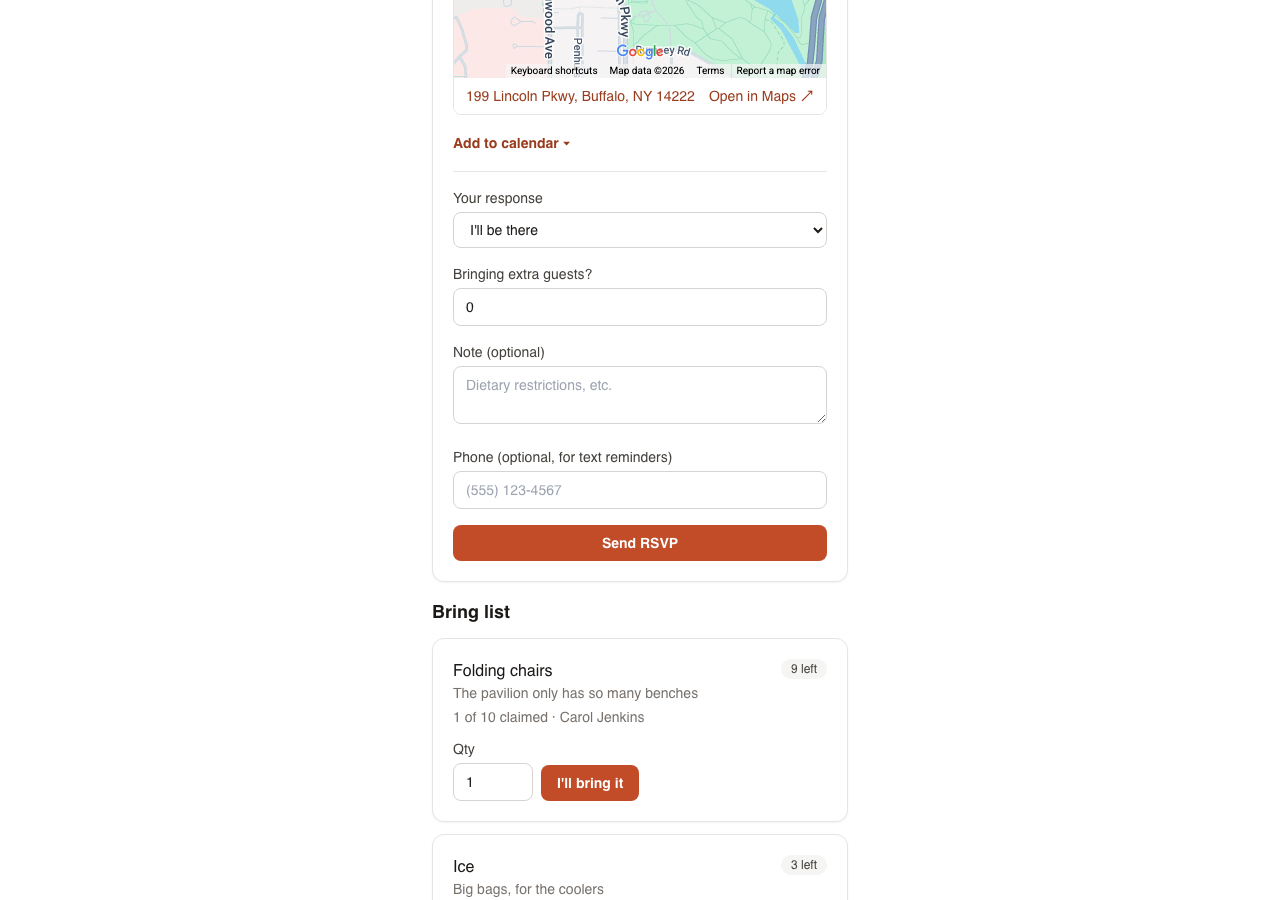
Pick yes, no, or maybe. If the host has set a deadline for RSVPs, you'll see it on the page. You can come back and change your response any time before then.
4. Get involved
Once you've RSVP'd, you can post in the group thread, message the host directly, vote in any polls, claim an item on the bring list, and upload photos.
5. Add it to your calendar
Download the event as an .ics file to add it to Google Calendar, Apple Calendar, or Outlook. If it's part of a recurring series, you can subscribe to a feed instead so future dates show up automatically.
6. If it's a paid event
You'll see how much is owed and where to send it (Venmo, PayPal, CashApp, or Zelle). Send the payment through that service yourself, then mark it as sent. The host will confirm once they've received it.
Questions about anything above? See the Support & FAQ page.